Programming & Software course
HTML and CSS Web Development
Build and style responsive, accessible web pages using modern HTML structure and CSS layout techniques.
12 lessonsabout 80 minutes in allBeginnerFree
Lessons of 5 to 10 minutes, taught by Milo, your AI tutor. In your browser now; phone apps soon.
By the end you can
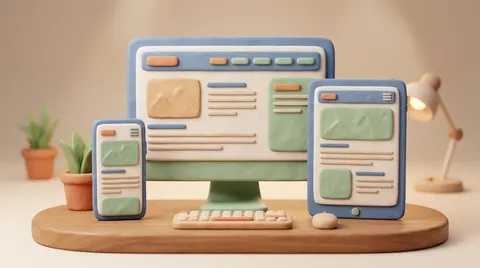
- You can structure pages with meaningful elements, style them with CSS, and arrange content using flexbox and responsive rules
- You can create a basic accessible landing page with appropriate images, labeled forms, typography, color, spacing, and mobile layouts
What you'll learn, lesson by lesson
- 1How Browsers Read an HTML DocumentIdentify the roles of a browser, an HTML file, and the head and body elements.
- 2Elements, Tags, and AttributesDifferentiate an HTML element, opening tag, closing tag, and attribute.
- 3Why HTML Is Not Web Page StylingExplain why HTML conveys content meaning while CSS controls visual presentation.
- That's a preview. 9 more lessons follow.
Take all 12 lessons free in the Milo app, with Milo teaching each one.
Start this course free - 4Build Meaningful Content with Semantic HTML
- 5Write CSS Rules with Selectors
- 6The Cascade and Specificity
- 7Control Space with the CSS Box Model
- 8Style a Profile Card Step by Step
- 9Arrange Components with Flexbox
- 10Adapt a Page with Media Queries
- 11Add Accessible Images and Forms
- 12Build and Check a Responsive Landing Page
Inside the app
Not a video. A tutor who teaches you.
Milo explains each idea of HTML and CSS Web Development out loud and on the blackboard, checks you understood, and coaches you when you slip. Lessons take 5 to 10 minutes.
Start free

More in Programming & Software
See all


Free to learn
This course is free. So is Milo's help planning it.
Every course in Milo's library, your growth plan and Milo's weekly check-ins cost nothing. Members, from $5 a month, also get lessons written just for them.
- Can I really start for free?
- Yes. No card needed.
- Can I cancel a membership any time?
- Yes, from your account. You keep it until the end of the month you paid for.
- Where does it work?
- In any browser on a phone, tablet or computer. Phone apps are on the way.