Data & Analytics course
Maps and GIS Basics
Understand core GIS concepts, work with vector and raster spatial data, and design clear, accurate maps.
21 lessonsabout 2 hours in allBeginnerFree
Lessons of 5 to 10 minutes, taught by Milo, your AI tutor. In your browser now; phone apps soon.
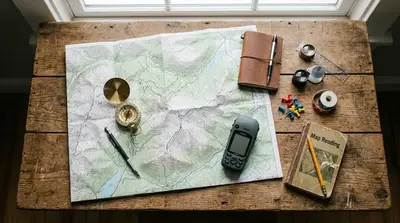
By the end you can
- You will understand core geographic information concepts, including coordinates, projections, scale, vector data, raster data, and spatial distortion. You will be able to choose suitable data representations and projections, interpret basic spatial imagery and
- You will also be able to perform a basic spatial overlay to measure an area such as land affected by flooding
What you'll learn, lesson by lesson
- 1Maps All Around YouName three maps you used this week and what each one helped you decide.
- 2What a GIS IsDescribe a GIS as layers of data, the software, the methods and the people who use it.
- 3Who Uses Mapping Data and WhyMatch four jobs, such as wildlife research and flood relief, to what a GIS does for each.
- That's a preview. 18 more lessons follow.
Take all 21 lessons free in the Milo app, with Milo teaching each one.
Start this course free - 4Latitude and Longitude
- 5The Earth Is Not a Perfect Ball
- 6Why Map Layers Don't Line Up
- 7Why Every Flat Map Stretches Something
- 8How Projections Are Built
- 9Seeing Distortion with Tissot's Circles
- 10Choosing a Projection
- 11Great Circles and Grid Coordinates
- 12Vector Data: Points, Lines and Polygons
- 13Raster Data: Grids of Cells
- 14Objects or Surfaces: Vector or Raster?
- 15Tracing Features by Hand
- 16Seeing from Above
- 17Map Scale
- 18Reading a Topographic Map
- 19Symbols and Colour for an Audience
- 20The Parts of a Good Map
- 21Beyond Making Maps: Spatial Analysis
Inside the app
Not a video. A tutor who teaches you.
Milo explains each idea of Maps and GIS Basics out loud and on the blackboard, checks you understood, and coaches you when you slip. Lessons take 5 to 10 minutes.
Start free

More in Data & Analytics
See all


Free to learn
This course is free. So is Milo's help planning it.
Every course in Milo's library, your growth plan and Milo's weekly check-ins cost nothing. Members, from $5 a month, also get lessons written just for them.
- Can I really start for free?
- Yes. No card needed.
- Can I cancel a membership any time?
- Yes, from your account. You keep it until the end of the month you paid for.
- Where does it work?
- In any browser on a phone, tablet or computer. Phone apps are on the way.