AI & Machine Learning course
GitHub Copilot: From Suggestions to Agents
Use GitHub Copilot effectively to generate code, review agent pull requests, and manage security and licensing risks.
15 lessonsabout 2 hours in allIntermediateFree
Lessons of 5 to 10 minutes, taught by Milo, your AI tutor. In your browser now; phone apps soon.
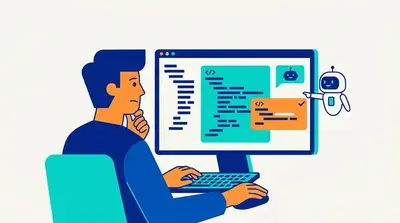
By the end you can
- Use GitHub Copilot features appropriately, judge generated code and explanations, and delegate suitable tasks while reviewing the results critically
- Configure reusable instructions and automation patterns, evaluate external tool access, and identify security, licensing and data risks in generated code
What you'll learn, lesson by lesson
- 1What Copilot Actually CoversMatch five jobs to where Copilot does them.
- 2Helping You or Working for YouSort eight tasks into assistive or agentic.
- 3Judging a Suggestion in SecondsSpot the bug in three plausible suggestions.
- That's a preview. 12 more lessons follow.
Take all 15 lessons free in the Milo app, with Milo teaching each one.
Start this course free - 4Asking About Unfamiliar Code
- 5The Agent in Your Editor
- 6Delegating to Copilot Cloud Agent
- 7Reviewing an Agent's Pull Request
- 8What AI Code Review Can and Can't Do
- 9Copilot in the Terminal
- 10Custom Instructions That Work
- 11Prompts, Skills and Custom Agents
- 12Connecting Outside Tools with MCP
- 13Security Problems in Generated Code
- 14Public Code, Licenses and Your Data
- 15Knowing When Not to Use It
Inside the app
Not a video. A tutor who teaches you.
Milo explains each idea of GitHub Copilot: From Suggestions to Agents out loud and on the blackboard, checks you understood, and coaches you when you slip. Lessons take 5 to 10 minutes.
Start free

More in AI & Machine Learning
See all


Free to learn
This course is free. So is Milo's help planning it.
Every course in Milo's library, your growth plan and Milo's weekly check-ins cost nothing. Members, from $5 a month, also get lessons written just for them.
- Can I really start for free?
- Yes. No card needed.
- Can I cancel a membership any time?
- Yes, from your account. You keep it until the end of the month you paid for.
- Where does it work?
- In any browser on a phone, tablet or computer. Phone apps are on the way.