AI & Machine Learning course
AI Shorts & Clip Repurposing
Use AI tools to efficiently edit, caption, and repurpose long video recordings into engaging short clips for social media.
14 lessonsabout 2 hours in allBeginnerFree
Lessons of 5 to 10 minutes, taught by Milo, your AI tutor. In your browser now; phone apps soon.
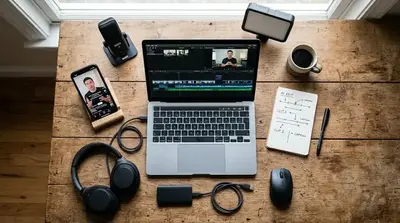
By the end you can
- Turn recorded conversations and podcasts into accurate, platform-appropriate social videos using AI-assisted selection, editing, reframing, captions, and titles
- Check permissions, preserve context, catch unreliable AI changes, and label edits when needed
- Review retention data without overclaiming from small comparisons and choose a sensible change to test
What you'll learn, lesson by lesson
- 1What a Clip Is ForState the purpose of clips for a weekly gardening podcast.
- 2Do You Have the Right to Cut It?Check whether you may reuse a recorded panel talk.
- 3Finding the Good MomentsShortlist moments from a transcript with AI's help.
- That's a preview. 11 more lessons follow.
Take all 14 lessons free in the Milo app, with Milo teaching each one.
Start this course free - 4Cutting Without Changing the Meaning
- 5The First Few Seconds
- 6Tightening the Pace
- 7Reframing for Vertical Screens
- 8Captions People Can Trust
- 9Titles That Match the Clip
- 10Same Clip, Different Platforms
- 11A Routine for Each Recording
- 12When Edits Need a Label
- 13Reading How Clips Perform
- 14When to Leave AI Out
Inside the app
Not a video. A tutor who teaches you.
Milo explains each idea of AI Shorts & Clip Repurposing out loud and on the blackboard, checks you understood, and coaches you when you slip. Lessons take 5 to 10 minutes.
Start free

More in AI & Machine Learning
See all

Free to learn
This course is free. So is Milo's help planning it.
Every course in Milo's library, your growth plan and Milo's weekly check-ins cost nothing. Members, from $5 a month, also get lessons written just for them.
- Can I really start for free?
- Yes. No card needed.
- Can I cancel a membership any time?
- Yes, from your account. You keep it until the end of the month you paid for.
- Where does it work?
- In any browser on a phone, tablet or computer. Phone apps are on the way.